AI-enhanced Structured Task System
2025
Overview
Video Demo:
Description:
This project is a single-page web application for task management.
It is inspired by what I learned about SQL and web applications. Starting from database design, I designed a relational schema for tasks, and then extended it by integrating an external AI API and building a simple but intuitive frontend for manual task management and visualization.
The core innovation of this project is that The LLM transforming natural language input into database-ready outputs, including fields such as priority, category, and subtasks.
Unlike traditional to-do list apps, this project treats tasks as structured data stored in a database. The combination of a data schema and an AI-powered workflow enhances task management capabilities while keeping the user experience easy to use.
Features
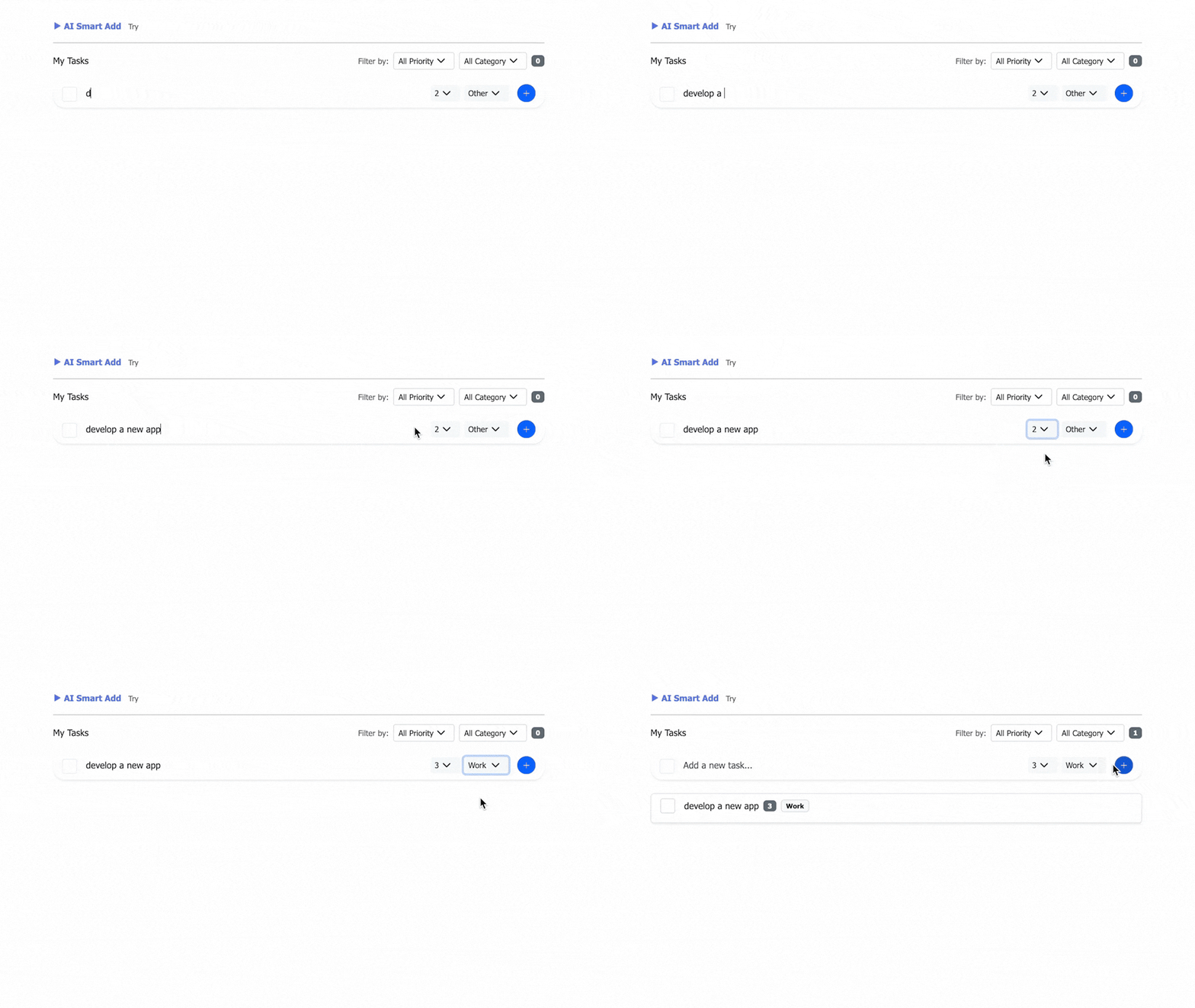
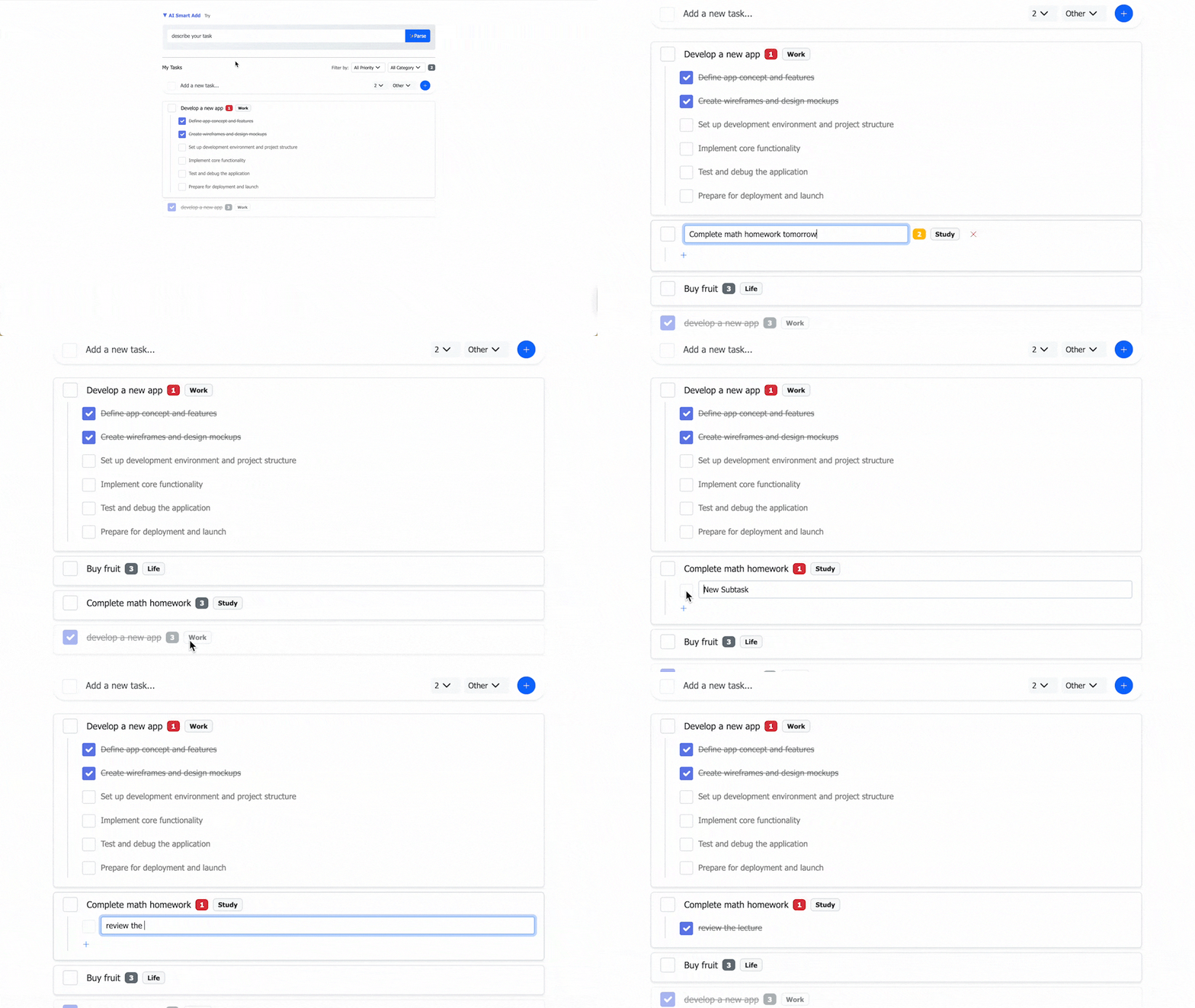
- Create, edit, and delete tasks and subtasks via manual input.
- View and filter by data fields; edit tasks inline.
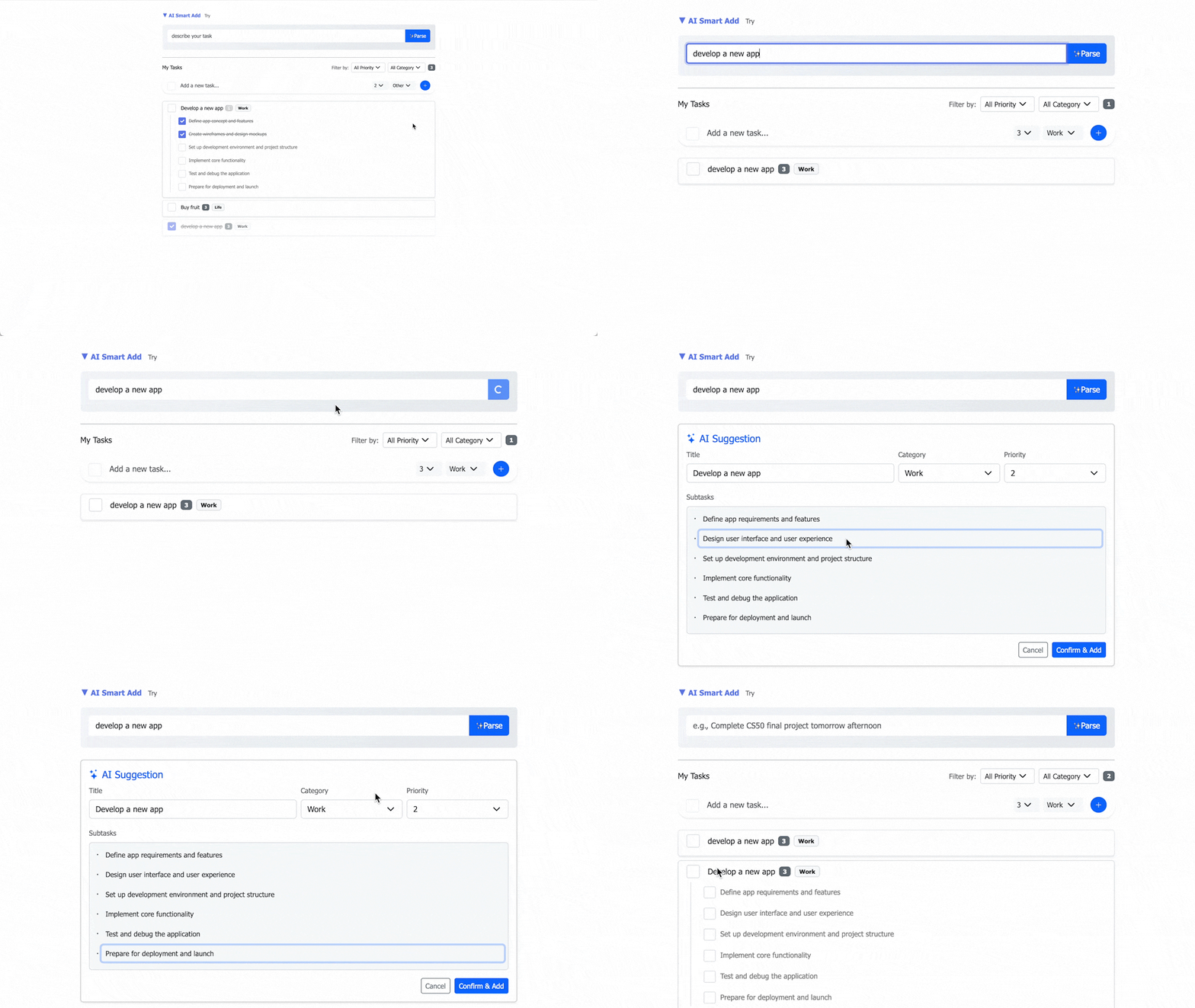
- AI-assisted parsing from natural language: priority and category recognition, task decomposition, and subtask generation.
- Review and optionally edit AI output before saving.
- API design supports both manual input and AI-generated data.
Tech Stack
- Frontend: HTML JavaScript(Fetch API) CSS (Bootstrap)
- SQLite
- Backend: Flask flask-session cookies PUT / PATCH / DELETE
- openai:OpenAI-compatible LLM API: DeepSeek-Chat
- Python
Project Structure
project/
├── app.py # Flask backend and API routes
├── ai_helper.py # AI-featured tools
├── helpers.py # Database tools and others
├── tododata.db # SQLite database
├── templates/
│ └── home.html # Single page
├── static/
│ ├── app.js # all Frontend logic
│ └── styles.css
└── requirements.txt
Database Design
The application uses a relational database (SQLite) to persist tasks and subtasks.
The schema is designed to support structured task data, inline editing, and future
feature expansion.

Schema
tasks table
| Column | Type | Description |
|---|---|---|
| id | INTEGER | Primary key |
| session_id | TEXT | Anonymous session identifier |
| title | TEXT | Task title |
| completed | INTEGER | Completion status (0 or 1) |
| priority | INTEGER | Task priority (1–3) |
| category | TEXT | Task category |
| created_at | TIMESTAMP | Creation time |
subtasks table
| Column | Type | Description |
|---|---|---|
| id | INTEGER | Primary key |
| task_id | INTEGER | References tasks(id) |
| title | TEXT | Subtask title |
| completed | INTEGER | Completion status (0 or 1) |
Backend Architecture & API Design
The backend is designed as a lightweight REST-style API to support a single-page application.
All task operations are exposed through JSON-based endpoints,allowing flexible front-end interaction and future extensibility.
This API design allows the front-end to update individual fields (title, priority,category)without reloading the page, which was essential for achieving a smooth inline-editing experience.
Design Principles
- Clear separation between page routes and data APIs
- Each API endpoint represents a single responsibility
- PATCH is used for partial updates to support inline editing
- API design supports both manual user input and AI-generated data
API Endpoints
| Method | Endpoint | Description |
|---|---|---|
| GET | / | return home.html |
| GET | /api/tasks | Get all tasks with subtasks |
| POST | /api/tasks | Create a new task |
| PATCH | /api/tasks/ | Update a task field |
| DELETE | /api/tasks/ | Delete a task and its subtasks |
| POST | /api/tasks/<task_id>/subtasks | Add a subtask |
| PATCH | /api/subtasks/ | Update a subtask field |
| DELETE | /api/subtasks/ | Delete a subtask |
| POST | /api/ai-parse | Parse natural language via AI |
Design Decisions
- The database schema was designed before implementing the AI feature, ensuring that AI outputs conform to the data model rather than shaping the database around AI responses.
- Database design trade-offs — Schema and indexing choices were made to balance query needs, normalization, and Simplicity.
- Relational structure: Subtasks are stored in a separate table to allow flexibility and future extension.
- Backend routing: Subtasks use dedicated API routes; updating a task’s main fields and updating subtask fields are separate operations rather than a single combined update, for clearer semantics and easier maintenance.
- The LLM returns JSON rather than raw SQL so the AI layer never touches the database, improving safety and portability.
- PATCH is used for inline task edits to support partial updates instead of full replacement with PUT.
- The AI logic is isolated in ai_helper.py to keep the backend modular.
- A preview step for AI-generated content lets users review and adjust before saving, increasing control over tasks.
- Frontend: The AI input area is collapsible; primary actions are streamlined (some controls appear only in edit mode); clearing a task’s title is treated as delete.
- Prompt engineering: Prompts were iterated to improve parsing quality and structure of AI output.
Prompt Engineering / Evaluation
Brief summary:
The goal of prompt engineering in this project was not simply to generate helpful text, but to reliably transform unstructured natural language into structured, database-ready task objects that conform to a predefined relational schema.
Baseline
The prompt needed to ensure:
- Strict JSON output
- Schema consistency with the database
- Deterministic field structure
- Controlled task decomposition logic
- Language preservation
- No extra commentary
Final prompt
''' You are a Task Parsing Assistant. Current date: {today.strftime(‘%Y-%m-%d’)}
Analyze the user’s task description and return a strict JSON in the following format:
{{ “title”: “Task title (concise and clear)”, “category”: “Study/Work/Life/Other”, “priority”: 1 or 2 or 3, “subtasks”: [“Subtask 1”, “Subtask 2”] (optional, for complex tasks) }}
Priority Rules:
Contains “urgent”, “important”, “asap”, or close to today → 1 (High)
Contains “not urgent”, “when free”, “later”, or far from today → 3 (Low)
Others → 2 (Medium)
Category Recognition:
Study-related (homework, exams, courses) → Study
Work-related (meetings, projects, tasks) → Work
Daily life (shopping, exercise, chores) → Life
Other → Other
Task Decomposition:
title + subtasks must cover all information from the user input. You may add decomposed subtasks but must not remove any information.
For large/complex tasks (e.g., “Complete CS Final Project”), automatically split into 2–6 subtasks in the subtasks array. Each subtask should take approximately 30 minutes–2 hours.
For simple tasks (e.g., “Buy milk”), return an empty array [] for subtasks.
If the task has nested or hierarchical elements, extract the main content as title and include other related items in subtasks.
If the task contains special terms or unclear intent, return the original input as title.
Language:
Use the language of the user input. If multiple languages are present, default to English.
Format:
Return pure JSON only, without any additional text.
Do not include Markdown code blocks or formatting. '''
Future Improvements
Current approach: The app uses session-based anonymous users instead of login to keep it simple while still supporting persistent data. The schema is designed so it can be extended later.
Possible extensions:
- Add a users table and replace session-based identification with user accounts.
- Introduce additional task metadata (e.g. due dates or tags).
- Support subtask ordering or hierarchical depth.
- Improve the display so subtasks can be collapsed as needed.